
Choose a disk or folder to scan.
Pick your Mac, an external drive, your home folder, or any specific location. The scan is cancellable and stays local.
DiskPal turns confusing disk usage into a clear, interactive map, then explains what you’re looking at before you remove anything.
01 · Find the answer
macOS can tell you that space is running out. DiskPal helps you understand why. It scans the folder or drive you choose and lays every large item out by size, so the real storage hogs stop hiding behind vague categories.
One total. No path. No explanation.
~/Library/Developer02 · Read the terrain
DiskPal follows the way you investigate: start wide, move toward the largest region, then inspect the evidence.
Pick your Mac, an external drive, your home folder, or any specific location. The scan is cancellable and stays local.
Build products, simulators, and package caches
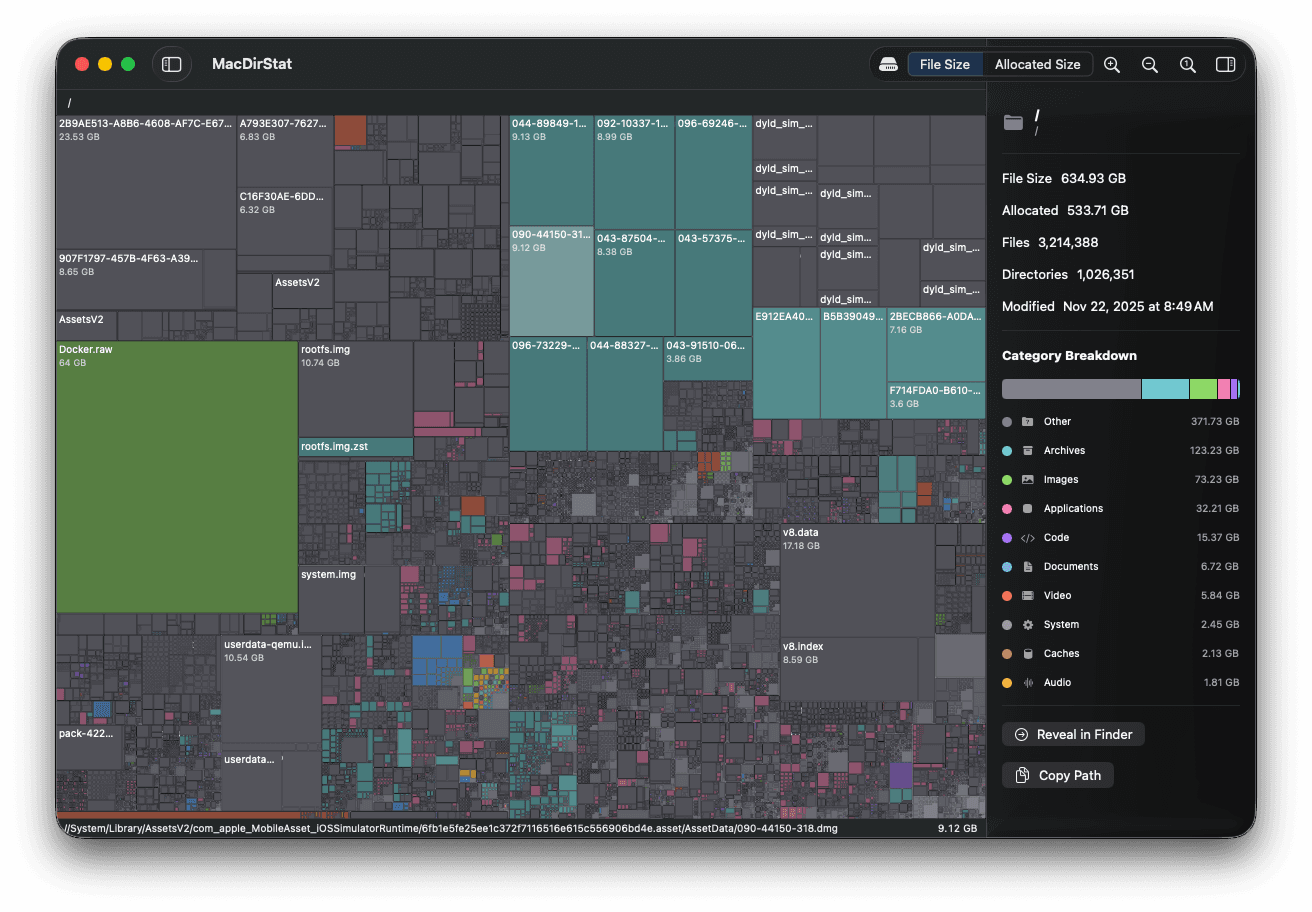
Every rectangle represents a real file or folder. Bigger regions use more space. Zoom, pan, and drill down one level at a time.
~/Library/DeveloperBuild products, simulator data, and caches created by developer tools. Some items can be regenerated, but inspect the app and path first.
See paths, file counts, modified dates, categories, and the largest items inside a folder. Reveal anything in Finder when you’re ready.
03 · Inspect the evidence
Names, paths, sizes, and context—kept together.
DiskPal shows both file size and allocated size, because those numbers can tell different stories. Its category breakdown is paired with names and paths, not just colors, so you can decide with context.
04 · Stay local
DiskPal is a native Mac app. Filenames, paths, and scan results are processed on your computer and are not uploaded to a remote analysis service.
Nothing leaves this boundary. Filenames, paths, and scan results stay on your computer.
05 · Before you scan
The practical details about privacy, permissions, drives, and downloading—without the fine-print fog.
Five answers · about two minutesDiskPal is a native macOS disk space analyzer. It scans a disk or folder, visualizes usage as an interactive treemap, and shows the details behind large files and folders.
No. DiskPal performs its scanning and analysis locally on your Mac. It does not need to upload filenames, paths, or scan results to explain your storage.
Yes. DiskPal can inspect internal and external volumes as well as folders you select.
macOS protects some locations. You can explicitly select a folder, and protected system areas may require Full Disk Access before DiskPal can include them in a scan.
Yes. DiskPal is free for compatible Macs. Create a free account when you are ready to download the installer.
See where your storage went before you decide what happens next.
Download DiskPalFree account · Native macOS app · macOS 15+